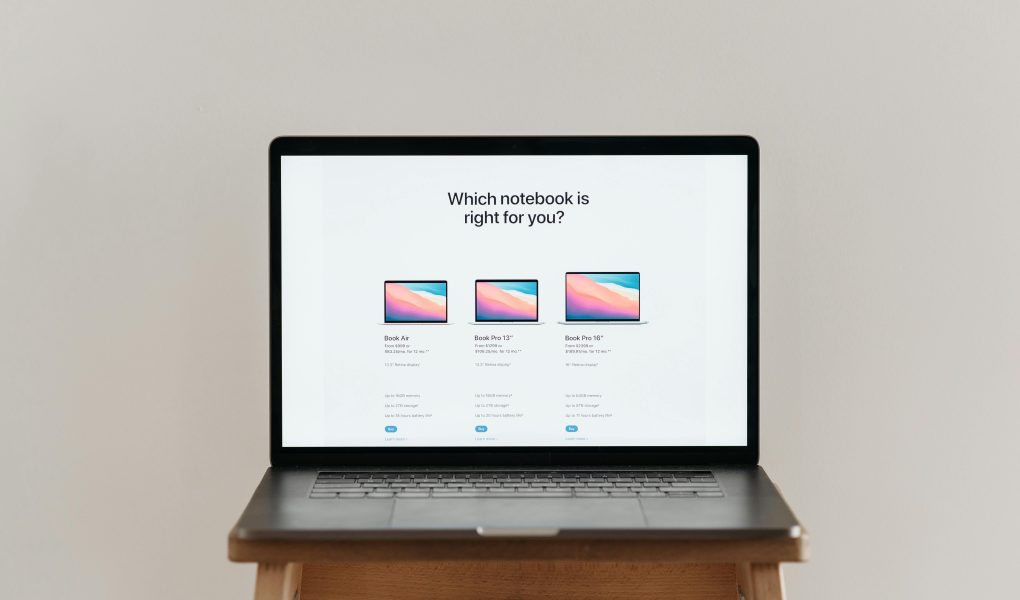
For today’s students, a laptop isn’t just a tool; it’s a lifeline. It’s the portable command center for everything from grinding out a 10-page research paper and editing a group project video to attending virtual lectures and, yes, that essential study break streaming session. But with a dizzying array of options, specs, and price tags, finding the perfect machine can feel like a daunting task in itself. Fear not! After a decade of guiding readers through tech purchases, I’m here to cut through the noise. This comprehensive guide will break down exactly what to look for and present the top contenders for the best laptops for students, balancing performance, portability, battery life, and that all-important budget.
What to Look For in a Student Laptop: The Essential Checklist
Before we dive into specific models, let’s establish the key criteria. Your ideal laptop is a personal equation, but these factors are universal. A common mistake is overpaying for power you won’t use or, worse, underestimating your needs and ending up with a sluggish machine.
Performance & Processor (CPU)
This is the brain of your laptop. For most students, a modern Intel Core i5 or AMD Ryzen 5 processor offers the sweet spot of power and efficiency, easily handling dozens of browser tabs, word processing, and multimedia. Engineering, computer science, or design students working with coding compilers, CAD software, or Adobe Creative Suite should lean towards a Core i7/Ryzen 7 or even an Apple M-series chip for smoother performance.
Memory (RAM)
Think of RAM as your laptop’s short-term memory for active tasks. 8GB of RAM is the absolute minimum for 2024, and it will serve most general use. If you’re a multitasker who runs multiple apps simultaneously or you’re in a field that uses specialized software, investing in 16GB will future-proof your purchase and ensure buttery-smooth operation throughout your degree.
Storage (SSD)
Opt for a Solid State Drive (SSD) over an older Hard Disk Drive (HDD) every single time. SSDs are faster, more reliable, and silent. A 256GB SSD is the starting point, but 512GB is a more comfortable target, giving you room for the operating system, applications, and several semesters’ worth of projects. Cloud storage is a great supplement, but local storage is crucial for large files and offline work.
Portability & Battery Life
You’ll be carrying this everywhere—from the library to the lecture hall to the coffee shop. Aim for a weight under 3.5 pounds and a screen size between 13 and 15 inches for the best balance of viewability and portability. Battery life is non-negotiable. Look for manufacturers’ claims of 8+ hours, but real-world testing often shows less. A laptop that can survive a full school day without hunting for an outlet is a game-changer.
Durability & Keyboard Comfort
Student life can be rough on gear. A solid, well-built chassis (often aluminum or magnesium) is worth the investment. Pay close attention to the keyboard. You’ll be typing for hours on end, so a comfortable, responsive keyboard with good key travel is essential. A precise trackpad is also a major quality-of-life feature.
Top Picks: The Best Laptops for Every Type of Student
Based on the criteria above, here are my top recommendations across different operating systems and use cases. These picks represent the best combination of value, performance, and reliability for the student journey.
1. The All-Around Champion: Apple MacBook Air (M2 or M3)
For students invested in the Apple ecosystem or those who prioritize seamless performance and best-in-class battery life, the MacBook Air is almost unbeatable. The Apple Silicon (M2 or M3) chips deliver astounding power and efficiency.
- Pros: Incredibly thin and light, silent fanless design, stunning Retina display, industry-leading battery life (often exceeding 15 hours), excellent trackpad, powerful performance for most tasks.
- Cons: Limited to two USB-C ports, upgradeability is non-existent (choose your specs wisely at purchase), premium price tag.
- Ideal For: Liberal arts, business, science students, and generalists who want a worry-free, long-lasting machine. Also excellent for media consumption and light creative work.
2. The Premium Windows Powerhouse: Dell XPS 13 Plus
The XPS line has long been the benchmark for Windows ultrabooks. The XPS 13 Plus takes it to the extreme with a sleek, virtually borderless display and a minimalist, haptic touchpad.
- Pros: Gorgeous InfinityEdge display, premium all-aluminum build, very powerful with Intel Core i7 options, compact and lightweight.
- Cons: The capacitive touch function keys and invisible trackpad take getting used to, battery life is good but not MacBook-level, can get expensive.
- Ideal For: The student who wants the cutting-edge Windows experience, values stunning design, and needs serious power in a tiny package.
3. The Best Value & Versatility: Acer Swift Go 14
This laptop is a secret weapon in the student arena. It packs incredible specs—including gorgeous OLED display options and latest-gen processors—for a price that undercuts many competitors.
- Pros: Exceptional value for money, beautiful OLED screen option, solid performance, good port selection, relatively lightweight.
- Cons: Build quality, while good, isn’t as premium as an XPS or MacBook. Speakers and trackpad are average.
- Ideal For: Budget-conscious students who don’t want to compromise on core performance or screen quality. Perfect for economics, political science, and communications majors.
4. The 2-in-1 Convertible for Note-Takers: Microsoft Surface Laptop Studio 2
If you dream of taking handwritten digital notes, sketching diagrams, or using your laptop as a tablet for reading, a 2-in-1 convertible is your answer. The Surface Laptop Studio 2 is the ultimate expression of this form.
- Pros: Innovative hinge allows for laptop, stage, and tablet modes, excellent PixelSense touchscreen, supports the superb Surface Pen for natural inking, powerful specs for creative work.
- Cons: Heavy and expensive, battery life is middling for the price, not as portable as a traditional clamshell.
- Ideal For: Engineering, architecture, art, and medical students who benefit greatly from pen input. A fantastic tool for annotating PDFs and presentations.
5. The Rugged & Reliable Workhorse: Lenovo ThinkPad E16
The ThinkPad legacy of legendary keyboards, superior durability, and business-grade reliability lives on. The E-series offers this at a more student-friendly price point.
- Pros: The best keyboard on any laptop, bar none. Military-grade durability testing, great upgradability (easy to add more RAM/SSD), solid performance, excellent port selection.
- Cons: Design is conservative and not flashy, display options can be underwhelming compared to peers, can be weighty.
- Ideal For: Students who write incessantly (think English, history, law preps), those in fieldwork, or anyone who prioritizes toughness and typing comfort above all else.
Final Tips Before You Hit “Buy”
Choosing the right laptop is a significant investment. Here are a few final pieces of advice from a decade of tech writing:
- Wait for Sales: Major sales events like Back-to-School (July-August), Black Friday, and Amazon Prime Day often feature fantastic deals on student laptops.
- Check for Student Discounts: Apple, Dell, Microsoft, and Lenovo all offer substantial education discounts directly through their websites. Always verify your eligibility.
- Don’t Skimp on RAM/Storage: It’s usually cheaper to upgrade these at the time of purchase than to try and do it later, especially on thin-and-light models where components are often soldered.
- Consider Your Software Needs: Ensure your chosen operating system (Windows, macOS, Chrome OS) is compatible with any required course-specific software.
- Protect Your Investment: A sturdy laptop sleeve or backpack is a must. Consider an extended warranty if you’re prone to accidents.
Conclusion: Your Perfect Study Partner Awaits
The “best” laptop for a student isn’t a single model; it’s the one that best aligns with your unique academic needs, personal workflow, and financial reality. Whether it’s the enduring efficiency of the MacBook Air, the versatile value of the Acer Swift Go 14, or the note-taking prowess of a Surface 2-in-1, the perfect machine is out there. Use the checklist in this guide as your roadmap, focus on the core pillars of performance, portability, and battery life, and you’ll invest in a reliable companion that will power you through all-nighters, group projects, and lecture notes, all the way to graduation day and beyond.